Before buying an outdoor kitchen, ask the exporter to trace one cabinet from the approved sample and purchase order line to a production reference and a shipped package. Then have the importer use the receipt or an installed position to recover the same delivered revision. The manufacturer or supplier may hold the original build record, while the exporter and importer hold different records about its movement. Agree which evidence each business can provide and test both directions with a completed order before confirming a new purchase.
Define What the Importer and Exporter Need to Trace
Agree Who Holds Each Record
Choose one cabinet, worktop or separately packed component from a completed order similar to the one you plan to buy. Have the importer identify what purchasing approved and what receiving kept. Ask the exporter to start with the shipment reference and find the relevant cartons and order lines. The manufacturer can supply the build or revision record through the channel agreed for the order. Give each team the information it normally has. Compare the results at the point where both sides identify the same item, configuration and delivered revision.
- Manufacturer or fabricator
Match the released specification to the unit or production lot.
Order line · revision · production reference
- Exporter
Match the production reference to the packed goods and dispatch.
Shipment · carton reference · contents
- Importer
Reconcile what arrived and record where it was delivered.
Receipt · order line · onward delivery
Confirm the parties for the order. One company may perform several of these tasks.
Designed and created by the Outdoor Creation team.
Name the parties by what they do for that order. A supplier may quote and manage the sale, a fabricator may make a cabinet body or worktop, and an exporter may arrange dispatch with the factory or another warehouse. One company may carry out several of these tasks. As records pass from business to business, assign a person or team to each record and agree how the next party can retrieve it. If commercial information needs to stay private, use a redacted example or a supervised lookup that preserves the links between records.
Choose the Right Level of Identification
A module code identifies a product type. A purchase order line fixes the selection and quantity for that order. A production reference identifies a unit or a group built under known conditions. A package identifier points receiving to a group of goods packed together. Decide whether you need to distinguish a particular unit, a production lot or a group on one order line. A first shipment of identical modules may need one group reference for each approved revision, while a service request for a specific installed cabinet needs its own site position or another way to tell it apart.
The GS1 Global Traceability Standard distinguishes events such as packing and receiving from the data recorded about them. Use that distinction to ask for proof. At packing, ask which parts entered the package and which record connects them to the production group. At receiving, ask which identifier was retained and who can still retrieve the matching dispatch information. Check the level of detail against the decision the teams will have to make, such as identifying one replacement part or finding the units affected by a finish change.
Have the importer choose one line from the records available for the exercise. Ask the export team to retrieve that line using the ordinary order and shipment references. Write down where each link was found, whether it was visible on a shared document or had to come from another team, and what record the buyer will receive for its own order. This gives both sides a test they can repeat on the first shipment.
Match the Approved Sample to the Export Order
Connect the Purchase Order to the Released Specification
Capture the sample reference, module or part code, finish and drawing revision as one entry. Ask purchasing to show where the purchase order line or its attachment cites that entry. Check which parts the sample approval covers. A finish chip can establish the appearance of one surface. A cabinet sample may also show the selected front, handles and assembly. A separately sourced fitting or worktop can have its own signed reference. Give each agreed item one way to be found from the order the factory receives.
If you buy from China through a trading supplier, ask how the exporter can retrieve the factory’s production record once the goods have left the warehouse. Check both the commercial order number and the factory reference when they differ. Have the export team show who can link them and which reference the importer should keep. Use the modular outdoor kitchen supplier evaluation for B2B buyers for the broader qualification decision. For this test, the result is a clear connection from the purchased specification to the record used for the shipment.
Record Changes Before Production and Packing
On an OEM order built to a buyer’s approved design, record the drawing number and revision the factory received. On an ODM project, establish which supplier development drawing, finish schedule or part selection became the approved production specification. Give the exporter the reference that identifies the released configuration. ISO 10007 configuration management guidance describes configuration identification, control and status records. Apply those concepts to the sample and revisions the two businesses will actually review and keep.
Suppose the buyer approves a new finish for the last part of a repeat order. Record which lines and quantities use each version, who approved the change and which released document covers it. Ask the manufacturer to identify the quantities actually built to each revision. Then ask the exporter which records carry the split into packing and dispatch. The line on the importer’s receiving record should point back to the same breakdown. If the order includes items with different release references, keep those linked to their own lines or packages through the change.
If the buyer uses its own item numbers, ask the supplier to show how those numbers map to the factory’s module codes for the agreed finish and revision. Record both references on the item list used for the order. Check the mapping when either side changes how it names an item. The importer can then search its purchasing system using its own code and still find the configuration the factory actually built.
Connect Production Records to the Shipment
Follow the Order Line Through the Carton Record
Start with one order line and run the lookup as far as a carton that left the warehouse. Find the applicable production lot, serial or equivalent reference and check which revision and quantity it covers. Ask the exporter to match the line to the packing record, including a separate carton for hardware when the chosen configuration uses one. At the handoff, the importer should be able to retrieve the actual contents, their order reference and the identifier its receiving team will retain. The table gives each participant a starting point.
| Record | Link to the previous record | Where to check | If the link is missing |
|---|---|---|---|
| Approved sample or drawing | Approved reference, module and revision | Importer purchasing and supplier | Confirm the scope of sample approval |
| Purchase order line | Item code, quantity and released specification | Importer and sales supplier | Locate the accepted order revision |
| Production record | Order line, delivered revision, lot or unit | Manufacturer or fabricator | Identify the affected quantities |
| Packing and dispatch | Shipment reference, carton contents and order line | Exporter and its dispatch team | Reconcile mixed lots or split cartons |
| Receiving and service | Received carton or line, delivery and customer position | Importer, wholesaler or dealer | Recover the delivery record and confirm the installed position |
Designed and created by the Outdoor Creation team.
A modular outdoor kitchen manufacturer for importers reviewing cabinet samples can explain which details appear in production records and which the packing team can transfer to the exporter. The GS1 Logistic Label Guideline explains how a logistics unit identifier can link to a separate shipment record when packages contain different products. For an order using that system, check the agreed identifier against its contents record. The importer and exporter can also test the link with order and package identifiers agreed for their own workflow.
Review the Five Outdoor Kitchen Series
Use a complete series image to agree which family and layout the order discussion concerns. The five examples below give both teams a visual reference before they exchange the detailed cabinet list. In the purchase order and shipment records, add the selected modules, finish, scope and revision. Pictured equipment or optional fittings need their own lines or references when they are part of the confirmed order.
 AXIS outdoor kitchen with open shelving on a garden terrace
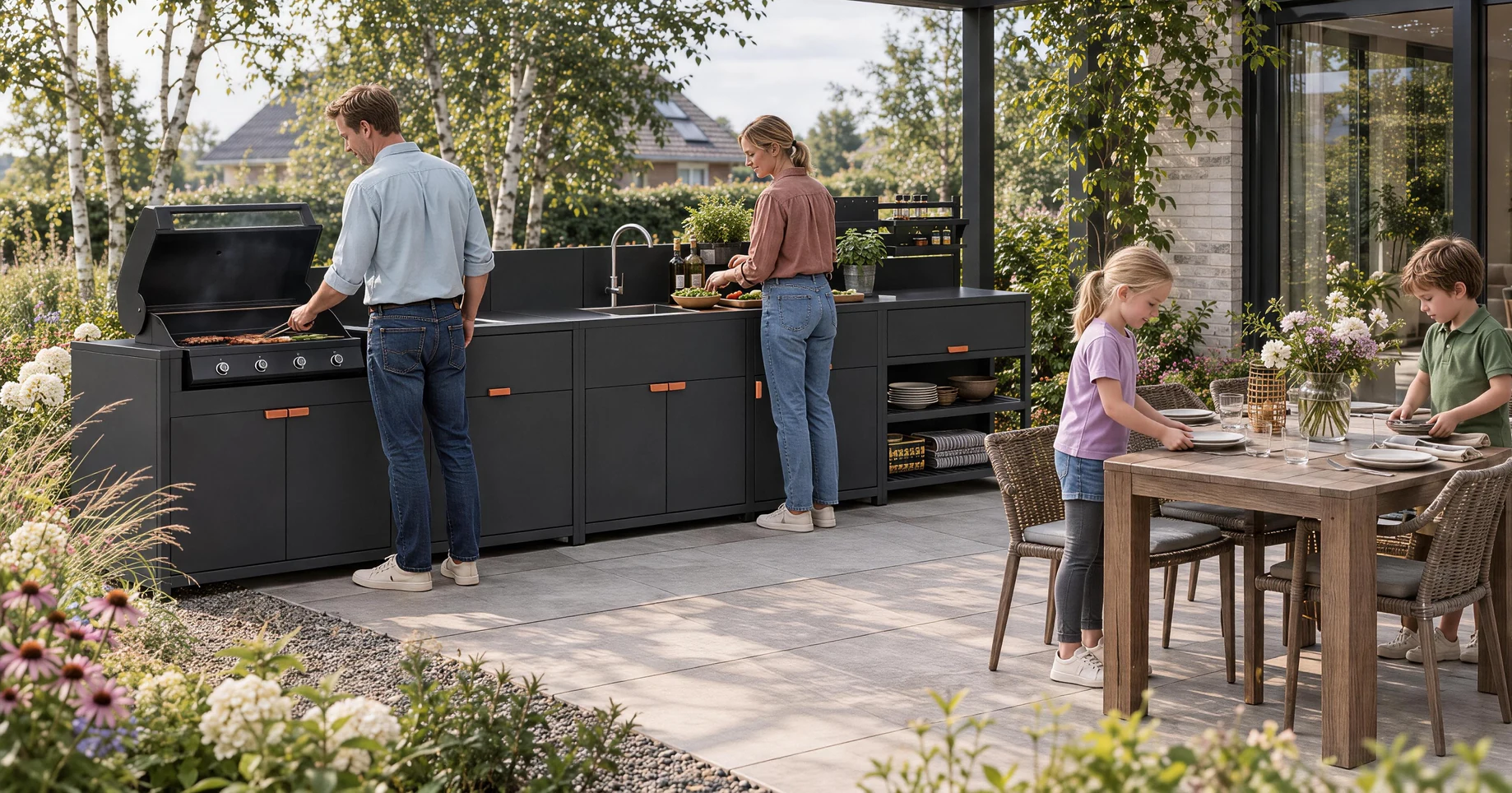 NOVA modular outdoor kitchen on a residential patio
 URBAN modular outdoor kitchen beside a garden dining area
 METRO L-shaped outdoor kitchen on a garden patio
 ELITE modular outdoor kitchen beside a poolside dining area
For a shipment that includes more than one kitchen series, check that line descriptions are specific enough to identify which series and variant each package serves. When a wholesaler will distribute the products to several dealers, keep a link from each outbound delivery back to the importer’s record. That link becomes important when identical-looking items leave in separate groups. More on checking package contents and arranging receipt is available in packing and delivery planning for modular outdoor kitchens.
If a single order ships in two parts, record the dispatch reference and quantity for each part against the original line. The exporter should be able to show which carton references went with each dispatch. Ask receiving to match each arrival to the same record and list any open quantity separately. A later service search can then distinguish the first delivery from a second shipment that contains the same module code.
Trace the Delivered Product From a Service Request
Start with the service request Capture the customer order reference and the installed position.
- Carton identifier available
- The exporter looks up the packing record and matches the carton to its order line.
- Carton identifier unavailable
- The importer uses a receipt or installation record to recover the delivery. The exporter checks the linked shipment and line.
Confirm the delivered cabinet Use the matched line and position to verify the delivered revision with the supplier.
If the specification changed, verify the actual recorded revision before confirming a service part.
Designed and created by the Outdoor Creation team.
Locate the Installed Product With the Available Records
Give the service team the information a customer or dealer could reasonably supply. Start with the retail or project order reference, the position of the product, any readable code and photos that show the item with its neighbors. Ask the importer to match those details to the receiving or onward delivery record. The exporter can then look up the original shipment reference and ask the supplier to confirm the delivered revision when needed. Keep the evidence behind the result so the next person can repeat the lookup.
In the METRO long straight example below, two places use the same Metro-D drawer storage module. One sits at the end and another between the grill base and sink. On a service request, describe the affected cabinet by its position and neighbor and state the viewing side. That description narrows the lookup to one installed location. The importer and supplier can then check which version, finish, hardware or front was delivered there. This matters when units of the same type are listed together on the order.
- End drawer storage (Metro-D)
- Raised grill position (Metro-G)
- Drawer storage beside the sink (Metro-D)
- Sink cabinet (Metro-A)
- Low ceramic grill platform (Metro-F)
- End refrigeration housing (Metro-L)
Record positions 1 and 3 separately. Both use Metro-D drawer storage.
Designed and created by the Outdoor Creation team.
Keep the Lookup Working After a Split or Repack
With mixed lots, match each cabinet or group to its production reference and reconcile the quantities. With a split carton, record which package holds each component and which order line they serve. If a warehouse applies a new package identifier, carry the old-to-new link into the receiving or onward dispatch records. When the outer carton is already gone, an installation record, a retail receipt or a retained label reference may still allow a search. Ask the dealer and exporter to use the references which survive that part of the handoff.
Check what the service team brings back from the exercise. A useful reply identifies the installed position, delivered revision and the evidence used to confirm it, plus a part reference if available. If several candidates appear, record what will distinguish them, such as the hinge pattern, handing or finish. Have the supplier confirm the actual part and the agreed service route before quoting a replacement. A usable match gives the buyer enough information to act on one request and to look up another cabinet by the same process.
At installation handover, choose which references will stay with the kitchen after the packaging is discarded. The installer can record positions against the agreed module schedule and flag an approved substitution that was installed in a different place. Give the dealer or service team access to the relevant order references. When the buyer raises a query later, use those references and the location together to confirm which unit the request describes.
Decide Which Evidence Is Ready for the Next Order
Assign the Open Questions to the Right Business
Put a named action beside each missing connection. The importer can confirm which sample it approved or match a dealer reference to its own delivery. The exporter can explain how it mapped the proposed shipment to the dispatch and packing records. The factory or supplier can confirm the approved change and affected production quantity. Put the evidence, person and review point together in the order notes. Ask a factory-direct outdoor kitchen supplier for custom cabinet projects to review how a custom finish or configuration will appear in the agreed records.
If the two lookups reach the same delivered product and the relevant teams can retrieve the records, record that evidence and repeat the exercise on the first shipment. If a particular record is still pending, write down the link to verify and when the buyer expects to see it. If an essential connection remains unresolved, identify the affected order line and have purchasing decide whether to hold it. Give the exporter and supplier the specific reference they need to investigate so the answer can be checked against the order.
Recheck the First Shipment and Retain the Evidence
Use the modular outdoor kitchen systems and cabinet ranges to confirm the series when preparing the record request. The outdoor kitchen manufacturing and order packing at the factory page gives manufacturing and packing context. If the order also contains items from other categories, define their lines separately with the outdoor living product range for trade projects. Agree in advance what information can be shared with the receiving and service teams, how they can ask for a record later and who will maintain the connection if the distribution arrangement changes.
When the first shipment arrives, confirm a carton and its actual revision against the export record. Follow one item into the warehouse or the installation plan. Then use a customer-facing reference to run a mock service query. Keep both lookup results with the order and agree to revisit the trace when a factory, packing arrangement or released specification changes. The check is complete when the importer, exporter and supplier can use their respective records to identify the same delivered product and produce the evidence for that result.
Outdoor Kitchen Product Traceability FAQ
What should an importer verify before placing an order?
Ask for a completed order that links an approved sample, order line, production reference and shipped carton. Test whether the same delivered revision can be found from a service request.
Which details link a sample to the purchase order?
Record the sample reference, module code, approved revision and purchase order line. Include the selected finish and any approved change that affects what will ship.
Which identifiers should an exporter share with the importer?
Agree which records connect the shipment and carton to the order line, module, quantity and applicable production reference. Confirm how missing or revised records will be provided.
What if a shipment contains several production lots?
Use a carton contents record that links each relevant item or group to its lot. Confirm that receiving can access the same mapping after delivery.
How can I trace a cabinet without its carton?
Start with the customer order, retained module details and installed position. Use the importer’s receiving record and ask the exporter to confirm the matching order line and delivered revision.
What should customers send for a replacement cabinet door?
Ask for the order reference, cabinet position, any visible code and photos of the door and hinges. Confirm the exact part and finish with the supplier.
How should changes after sample approval be recorded?
Record the new revision, approval date and affected order lines. Confirm which revision was built and shipped before changing the receiving or service record.
Which records should an importer retain after delivery?
Retain the approved configuration, relevant changes, shipping identifiers and the link to the delivered module. Agree with the exporter who can retrieve records for service requests.
Discuss Traceability for Your Outdoor Kitchen Order
We manufacture modular outdoor kitchens in our own factory. Share your target market, proposed configuration and the records your importer or exporter needs. We can review custom options and the information that could accompany the shipment and support a service inquiry.
Materials, hardware, installation details, record availability and final custom specifications depend on the approved configuration and confirmed order.